Pre-release · iOS & Android

Save anywhere. Find everywhere.

Capture links, screenshots, photos and notes from any app's share sheet in two taps. Then ask your library — an AI agent that's read every save and answers in plain English.

Pick your device

Free during the test phase. No spam — just your download link.

Pre-release access

We're in test mode — and your time matters.

PIN isn't on the App Store or Play Store yet. Right now we're sharing builds with a small group of testers so we can refine the rough edges before we ship to everyone.

Once the testing phase is done, PIN goes to the App Store and Play Store so installing it is one tap — and you'll be the first to know when that happens. Until then, expect the occasional rough edge and the occasional note from us asking what could be better.

We genuinely appreciate the time and effort you're putting in to try it out. Thank you.

— The PIN team

How it works

Built for the way you already use your phone.

No new app to open. No new habit to build. The share sheet is the front door — everything else happens for you.

  1. 01

    Tap Share, pick PIN

    From any app — Safari, Instagram, X, Photos — hit the share sheet and choose PIN. Done in two taps.

  2. 02

    We do the work

    PIN figures out the source, pulls the title and a clean reading view, and files it into a feed that's organized by where it came from.

  3. 03

    Ask your library anything

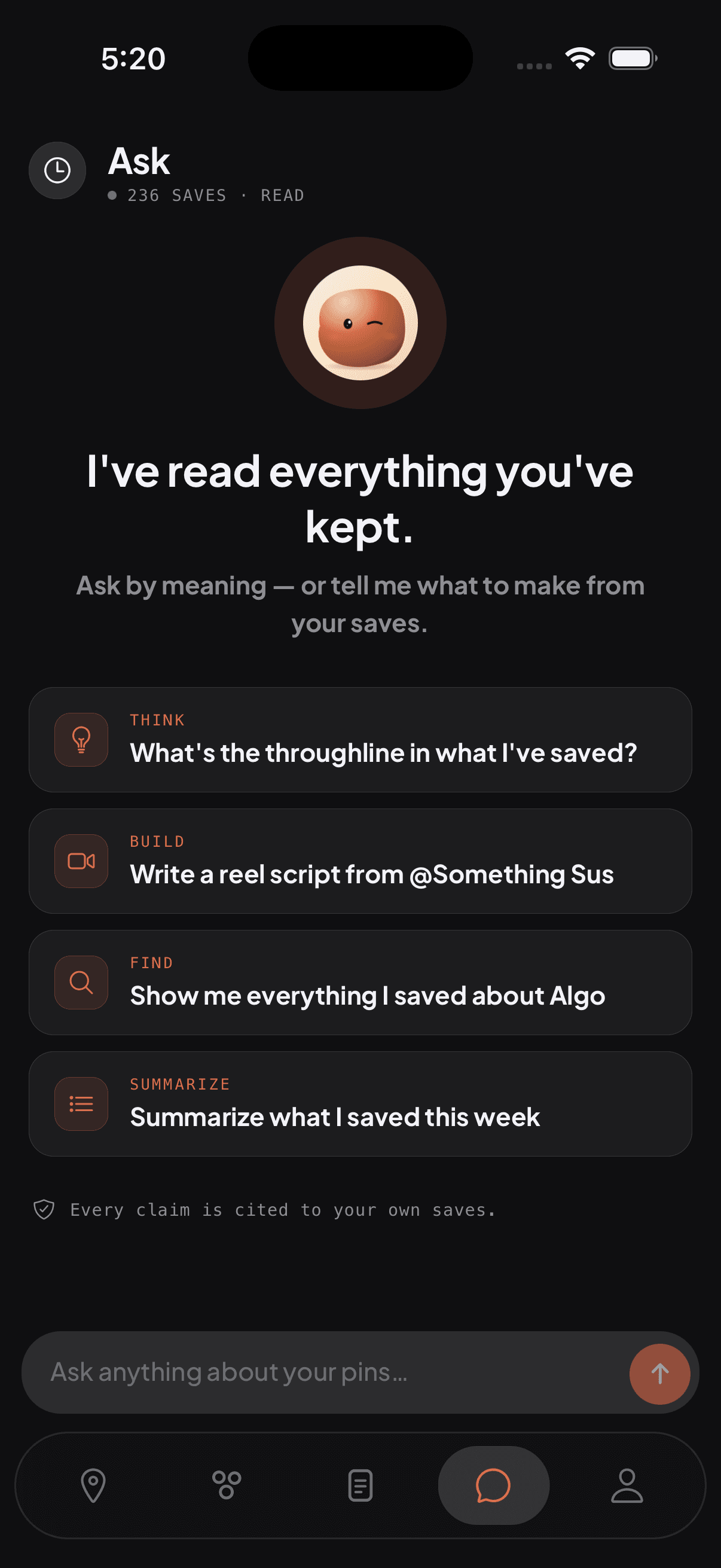
    Type or talk. An AI agent that's read every pin finds what you mean, even when you don't remember the words. Or just scroll the feed — it's your call.

AI-native

Your library, on speaking terms.

The Ask tab is a real research agent — not a chatbot bolted on. It reads your pins, your notes, and your collections, then uses live tools to find what you mean, fetch supporting context from the web, and even propose changes to your library.

  • Multi-tool retrieval

    The agent searches your library, drills into named collections, opens articles end-to-end, and pulls fresh information from the web — all in a single response.

  • Proposes, never destroys

    When the agent wants to organize your saves or add something new, it shows a confirmation card. You tap to apply. Nothing happens behind your back.

  • Yours alone

    Every conversation is scoped to your account. The agent only sees what you've saved — never another user's content.

Ask · today
What did I save about Tokyo ramen last month?
Searched pins · query: tokyo ramen · 3 results

Three saves match — all from your @japan collection:

  • Tsuta in Sugamo — Michelin-starred shoyu Instagram
  • Best yokohama-iekei in Shibuya, ranked Reddit
  • Friend's recs: Mensho, Afuri, Ichiran Notes

Your note on the Tsuta save says “worth the wait, go on a weekday.”

Plan a Kyoto day for the trip from @japan
Loading collection · @japan · 14 pins
Building itinerary card

See it in action

PIN, shipped.

Not concepts. Not mockups. These are screens from the iOS build that's on TestFlight today.

PIN home feed showing saved Pinterest and article pins, grouped by day

The feed

Everything you saved, one scroll.

Source-aware cards. Pinterest looks like Pinterest, articles look like articles, screenshots get a real thumbnail. Grouped by day so the recent stuff is always at the top.

  • Filter by Reading, Social, Watch, Notes
  • Swipe left to delete, swipe right to add a note
  • Search across everything from the top bar
PIN Ask tab showing the AI agent summarizing news from a BBC collection

Ask anything

Your library, on speaking terms.

A real research agent reads your saves, your notes, your collections — then answers in plain English with the actual pins as citations. Not a chatbot. A multi-tool agent that actually retrieves before it speaks.

  • Reference collections inline with @name
  • Tool chips show exactly what it searched
  • Proposes adds and edits — you tap to confirm
PIN Browse tab showing source tiles for Instagram, X, YouTube, Maps, Web, Note

Browse by source

Each platform, its own room.

Save from 13+ platforms today — Instagram, X, YouTube, Maps, Web, Notes, WhatsApp. Each gets its own tile with brand-true colors. Tap in to see only what came from there.

  • Auto-detects the source from any shared link
  • Per-platform feeds with native styling
  • Collections live alongside sources

And more

PIN detail modal showing a saved Pinterest pin with an option to add a note
Pin detail

Tap any pin. Read it inline. Add a note. Organize.

PIN Search tab with AI-powered query suggestions
Search or ask

Typing? Get AI suggestions. Exact match or semantic, both work.

What's inside

One save button. A real second brain underneath.

Silent capture

One tap from any app's share sheet. A 1-second toast confirms the save. Your scroll keeps going.

Custom collections

Group pins your way — a Tokyo trip folder, a reading list, recipes to try. No required taxonomy. A pin can live in zero, one, or many.

Ask, don't search

A real AI agent reads your library and answers questions. "What did I save about Tokyo ramen?" returns the actual pins with snippets and your own notes.

Summaries & ideas on demand

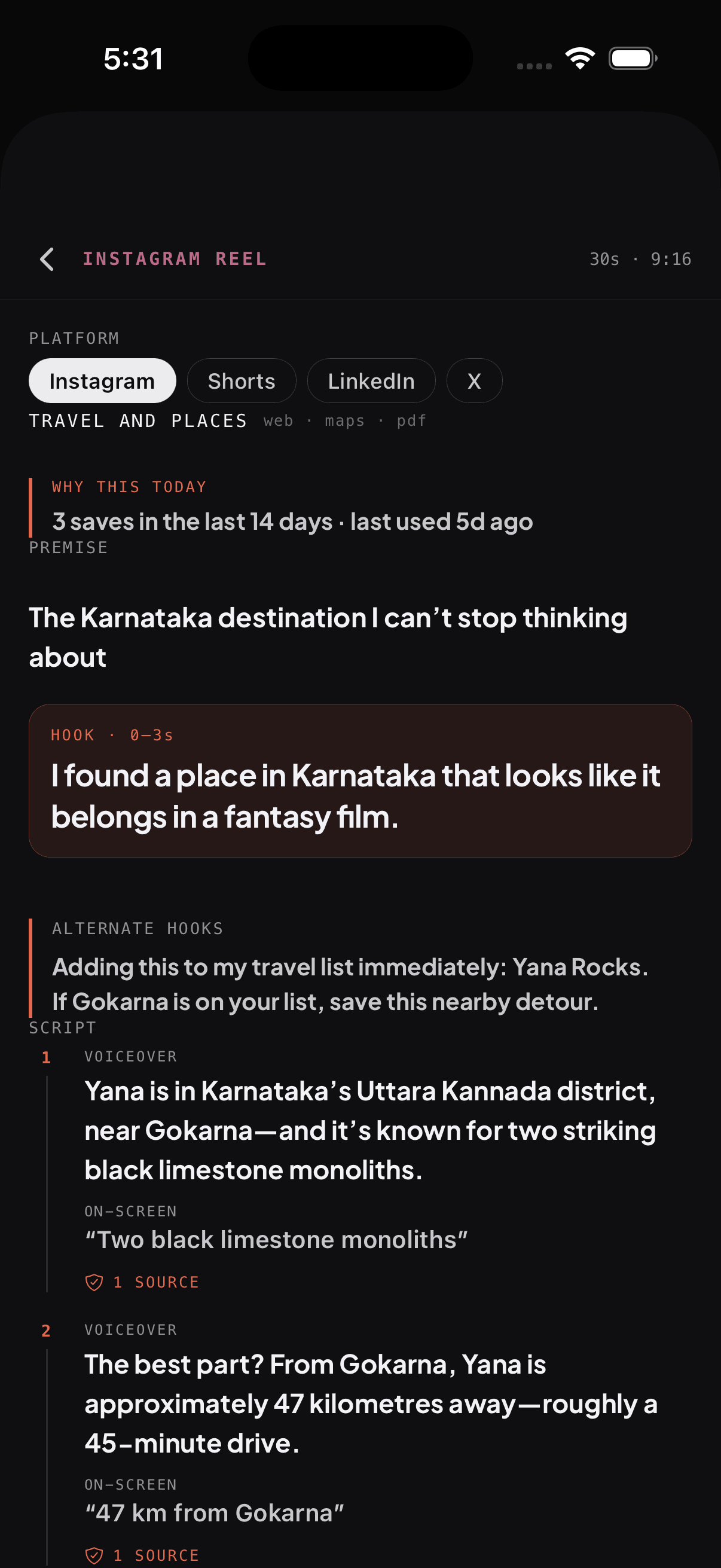
Drop a collection on the agent and get an executive summary, content ideas, or a starting outline grounded entirely in what you've saved.

Agent finds & files

Ask the agent to search the web, then propose what to save and where. It writes nothing without your tap to confirm.

Source-aware feed

Instagram looks like Instagram. X looks like X. Photos and screenshots get a proper thumbnail. Each platform feels native to where it came from.

Save anything

Links, screenshots, photos, voice notes, plain text, maps, music. If you can hit Share on it, PIN can hold it.

Reader view, offline

PIN snapshots a clean, readable copy of articles when you save them. Open them on the subway, on a plane, anywhere.

Your notes on every pin

Why did you save this? Drop a one-liner — "send to Helen", "recipe for Sunday" — and the agent weighs your note heavily when you search later.

Share a collection

Get a public link to any collection. Send it to a friend, post it on socials. They can browse — no PIN account required.

Soon

Collaborate

Invite friends to add to and edit a shared collection. Plan a trip together, build a recipe book together, share a reading list.

Yours alone

Multi-tenant from day one. Pins are scoped to your account, exportable as JSON, and deletable. No social graph. No algorithm.

Save from anywhere you scroll

FAQ

Questions, answered.

When will I get my download link?
We're sending invites in small batches so we can keep an eye on the build quality. Most testers get theirs within a few days of signing up.
Is PIN free?
Free during pre-release. Once we ship to the App Store and Play Store, anyone on the waitlist will hear from us first — never charged out of the blue.
iOS or Android — what's the difference right now?
Same feature set on both. The iOS build is distributed via TestFlight; the Android build is an APK you'll sideload. The link we email you points at whichever one you picked.
What happens to my data?
Your pins are scoped to your account, stored on infrastructure we operate, and you can export or delete everything from inside the app at any time. We don't sell or share your saves.

Got a question we didn't cover?

founder@catchandpin.app